This screen will answer some of the more frequent questions for Ryder Document.
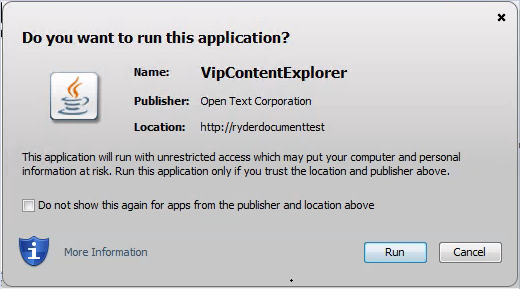
Q: I click on an image icon, and a popup is displayed asking "Do you want to run this application?".
A: This popup may display based on your organization's security policy. Click "Run" to continue.
Q: How do I save a Query?
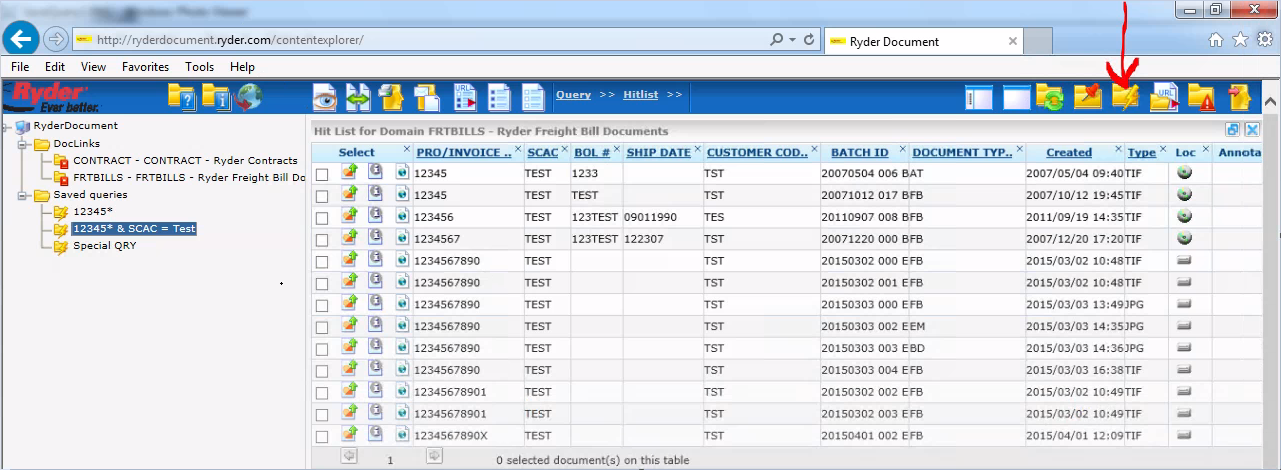
A: Once search results display, you can save your query by selecting the Save Query icon.  Click this icon
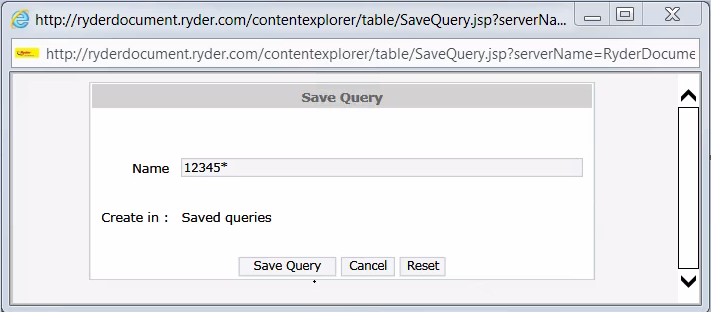
and a popup window "Save Query" is displayed. Enter a meaningful query name and press the "Save Query" button.  You will
have to refresh your screen to see the saved query name displayed under the Saved Queries folder.
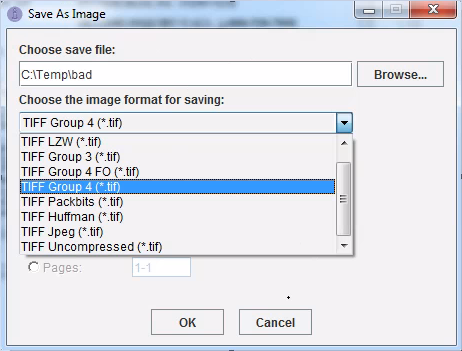
Q: How do I save an Image file?
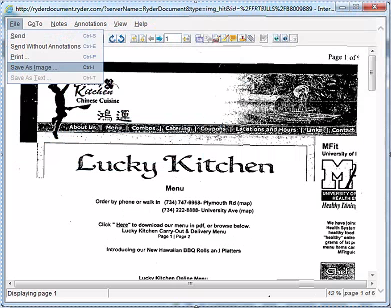
A: Once an image is displayed, you can save the image by selecting "File" and then clicking "Save As Image ...".  A
popup window "Save As Image" is displayed.  Under "Choose save file:" enter the path and object name where you would like
to save the file.  For example "C:\Temp\NewFile1".  Then, from the "Choose the image format for saving:" menu, select the format
you would like to save the image as.  It is advised to use TIFF Group 4(*.tif) when saving the image unless you need PDF file.